Retro Bowl Controls: Passing, Running and Kicking on a Keyboard and Mouse
Published · 2 min read
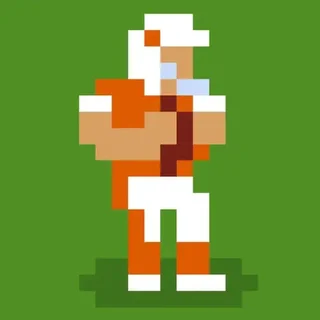
On a phone Retro Bowl is played with swipes. In the browser the same game uses the mouse for passes and kicks and the W, A, S and D keys for running. This is how each one works and how to use it well.
Passing with the mouse
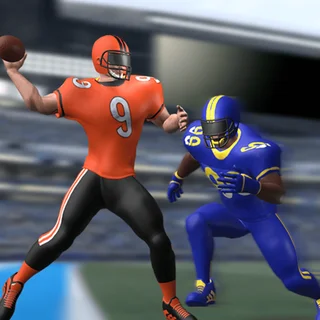
When the play starts, press and hold on the quarterback, then drag the pointer back behind him. A dotted line shows where the ball will go; the further you drag, the harder and longer the throw. Let go to throw. You do not have to throw at once: the receivers keep running their routes, and a defender who was covering a man a second ago may have fallen behind. But every moment you hold on to the ball gives the pass rush time to reach you.
Aim ahead of the receiver, where he will be when the ball arrives. On a slant across the middle that is a yard or two in front of his chest. On a deep route down the sideline, lead him by several yards and throw a little higher so the ball drops over the defender.
Which throw beats which coverage
- A defender right on the receiver: throw short and early, before the defender turns, or pick a different man.
- A defender trailing behind: this is the moment for the long pass. Lead the receiver and let him run under it.
- Everyone covered: a short pass to the tight end or the running back over the middle still gains a few yards. Throwing it away is better than an interception.
Running with the ball
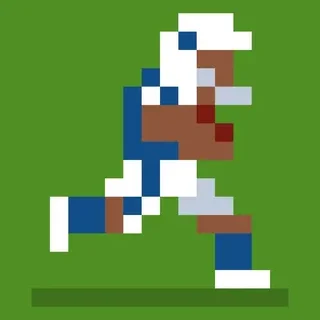
After a catch, or on a running play, your player runs forward on his own. Press W to side-step up the screen and S to side-step down, so you slip past the next tackler. A and D make him dive forward — useful for the last yard on third down or for crossing the goal line, but a dive always ends the play. Players run at top speed only while they have stamina, and tired runners fumble more, so a back who has carried the ball on every play is a risk.
Kicking
Field goals and extra points use two clicks. The first sets the power as a bar fills; the second sets the direction as the aim swings. Long field goals need nearly full power and a kicker with range, and wind and weather make them harder. If the kick looks too long, punting or going for it on fourth down is often the better call.
Two-point conversions and onside kicks
After a touchdown you can kick for one point or press the 2 pt button to run one more play from close range. Go for two when a single point does not change the game but two would tie it or put you ahead by more than a field goal. Late in a game you are losing, you will also be offered an onside kick; the game tells you the chance of getting the ball back, and it is usually low, so use it only when time is nearly gone.
Keyboard summary
- Mouse: press on the quarterback, drag back, release to pass.
- W / S: dodge while running.
- A / D: dive forward.
- Click, click: kick power, then direction.
More from the blog
- Retro Bowl: How to Survive Your First Season as Head Coach
You start with one game left of a losing team. What to do in that game, in the first draft, in free agency and under the salary cap so that season two is a winning one.